In this lesson
- learn the four drawing tools you really need
- learn to measure a price move in percent
- set a price alert instead of staring at the chart
To the left of the chart is a vertical panel of icons: pencils, lines, forks, smileys and symbols nobody knows the purpose of. The good news: you need four of them. And then one little bell that saves you a lot of time and nerves.
Four tools are enough#
- Horizontal line – a level where the price used to stop: support or resistance. The most used tool of all.
- Trend line – connects two lows (or highs) and shows the slope of the trend.
- Rectangle – marks a price zone. Support and resistance are more often bands than exact lines.
- Measure tool – drag from one point to another and the chart shows the price change in percent and the number of candles.
On Binance the drawing tools appear when you switch the chart to Trading View:
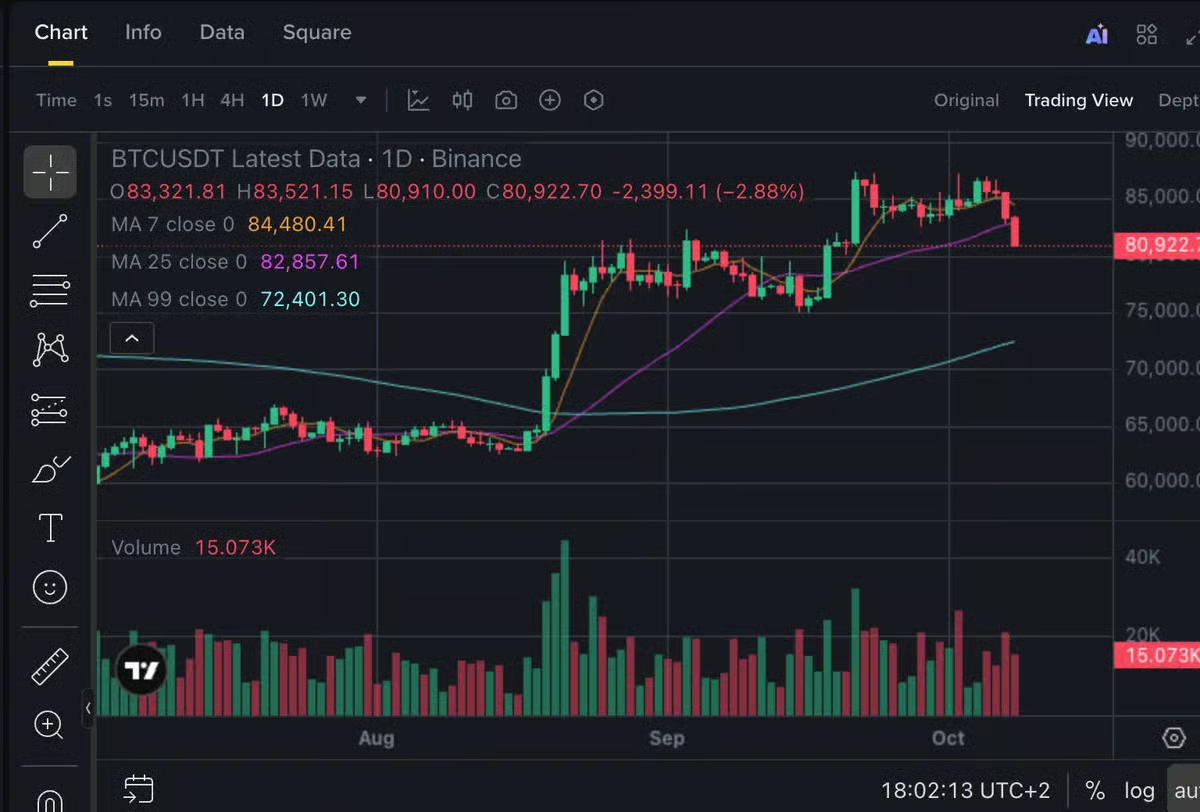
Handy extras: the magnet snaps a line exactly to candle prices, and the bin deletes all drawings at once.
The price alert#
An alert (the bell by the chart or in the menu) sends you a message when the price crosses a chosen level:
- Choose the pair and the price – for example a level you have drawn.
- Choose the direction: crossing up, crossing down or either.
- Choose where the message goes: the app, email or both.
An alert costs you nothing and buys nothing – it just lets you know. Instead of looking at the chart ten times a day, set two levels and go live your life.
Drawings can get lost
On some exchanges drawings are saved only in the browser or only for one chart view. After switching devices or chart types you may not find them. So note important levels in your journal too.
Common myths#
- "The more lines, the better the analysis." A chart crowded with lines only shows what you want to see.
- "The alert will buy for me." An alert only informs. Buying or selling is a separate order.
- "A level must fit to the exact dollar." Draw zones instead – the price rarely returns to a level exactly.
Summary
- Four tools are enough: horizontal line, trend line, rectangle and measure tool.
- The magnet snaps lines to candle prices; the bin deletes all drawings.
- A price alert tells you when the price crosses a level – it buys nothing.
- Note important levels outside the chart too; drawings can get lost.